How to Play Games

How to Play Games

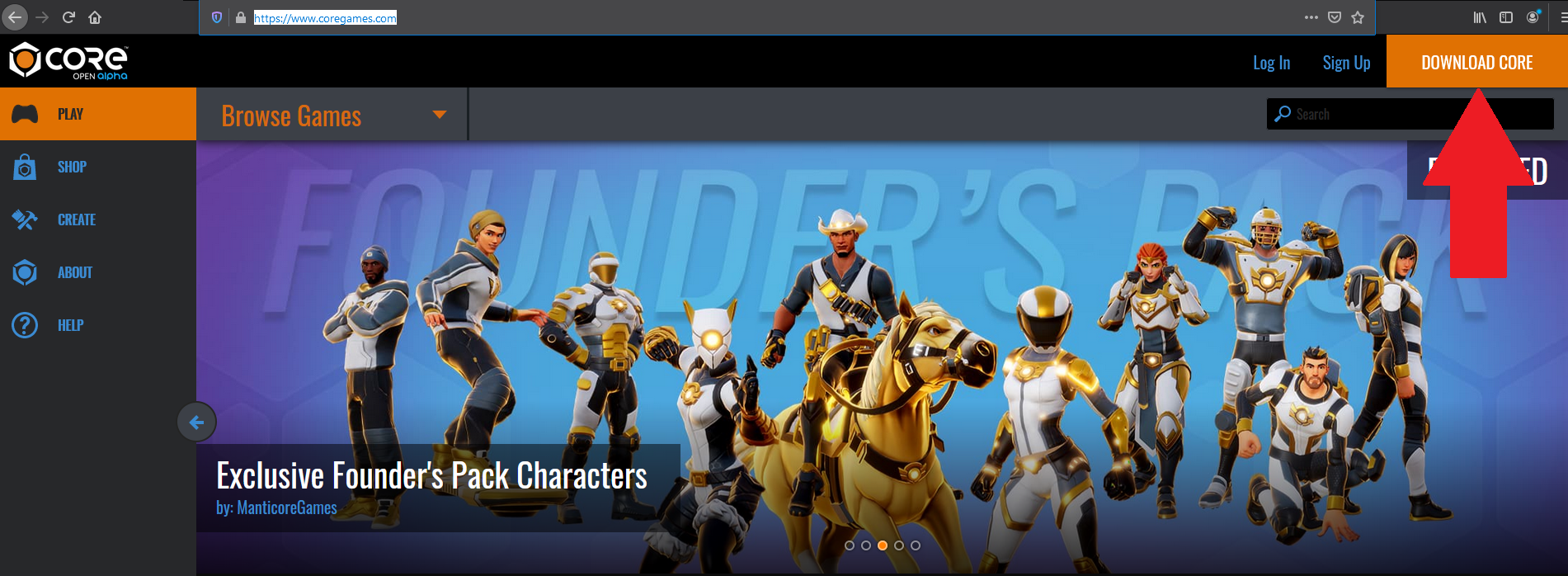
In order to play games on Core, you must have Core installed on your PC (or Mac if using Bootcamp). Go to coregames.com and click the "Download Core" button in the upper-right corner of the screen to download the Core Installer:
 

mceclip0.png

Installing and Launching

For completing the installation and launching Core, check out this article.


Registering Your Account

Once you have Core installed, you will also need to register an account to begin playing games.

    • Related Articles

    • Core Games and Content

      The games and content found in Core are creations made by users like you! Have you ever imagined…. Making your own game and playing it with others? Designing your own social hub and inviting your friends to hang out? Construct and use your own ...
    • Epic Games Accounts

      Want to link your existing Core and Epic accounts? No problem! Please follow the simple steps below. Note that you must already have both a Core and Epic account in order to link them. Link Your Existing Core and Epic Games Accounts To create a Core ...
    • Login to Core Games with your Epic Games Account

      Ready to link your Epic Games login to your Core Games account? 1. To get started, visit the Core Games Account Settings page. 2. Next, select Linked Accounts from the navigation tab on the right side. 3. Click the blue "CONNECT" button next to Epic. ...
    • The Core Editor

      The Core Editor is a community-focused game creation tool for users to create, build, play, and share their very own games and content. Core combines professional-grade tools with a radically accessible interface - it is a one-stop shop with ...
    • Welcome to Core World!

      Core World is your gateway to the Core multiverse and the wonderful games and experiences that creators have to offer! Joining Games from Core World To join a game via its portal, simply approach the portal and walk through or hit the "F" key to be ...